Using Bookmarks
Using Bookmarks is another fast and easy way to use GPass to get online.
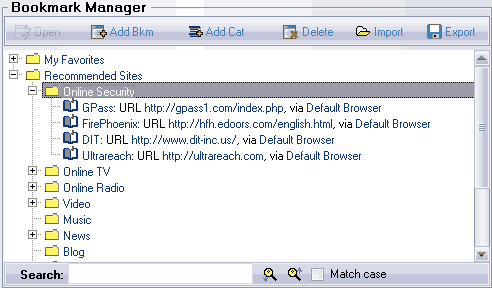
GPass provides you with a comprehensive list of recommended URL's and a way to manage your favorite online locations in the Bookmark Manager. These are not limited to webpage URL's: a bookmark can be any URL with the associated application to open it, or an application with command line parameters.
The bookmarks are organized in hierarchical categories. When GPass starts, it creates a skeleton for the My Favorites category and downloads the Recommended Sites category from the GPass website. You can drag-drop bookmarks to rearrange their position. Your changes will be saved automatically.
When you click once on a bookmark, you select it. When you click twice with a two second wait in between on an editable portion of a bookmark, you can edit it. When you double click a bookmark, you open it in GPass. Most of these functions are also available from the right-click context menu.
You can also add and store your own bookmarks in it. When you double click a bookmark, the associated application will start loading the bookmark and GPass automatically routes and encrypts your network traffic.